
DIY Standing Desk: Build Your Own in a Weekend
Build a DIY desktop standing desk with basic tools and materials. Cost breakdown, height math, and stability tips for a build that actually holds steady.
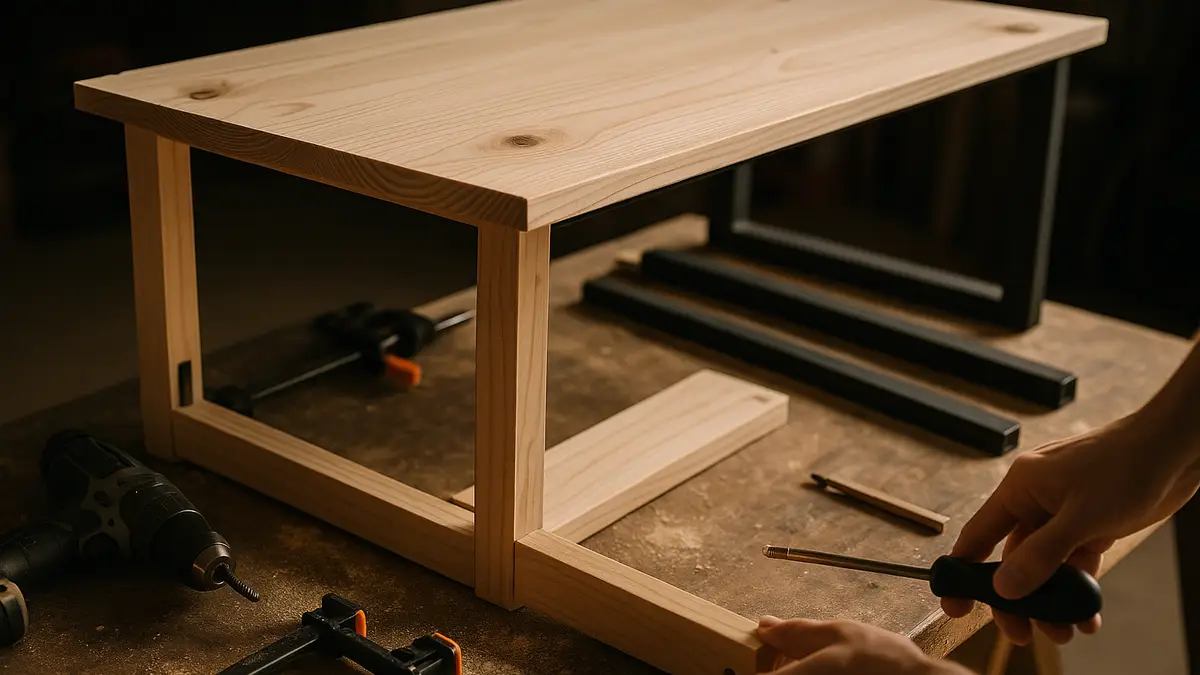
A DIY standing desk is a real option if you own basic tools, a weekend, and a desire to skip the shipping wait on a manufactured desk. The build is simpler than it sounds: a flat, stable top, legs at the right height, and a bit of bracing so it doesn’t rock when you lean on it.
What do you need to build a standing desk?
A basic build needs four things: a desktop surface, legs, mounting hardware, and a way to brace the frame against side-to-side wobble. For the top, 3/4-inch plywood or a solid-core interior door blank works well because it resists flex better than thin particleboard. For legs, adjustable metal desk legs (sold separately for exactly this kind of build) let you dial in the exact height instead of cutting wood legs to a fixed length and hoping you measured right.
Total materials typically run $60 to $150: roughly $20 to $50 for the top, $30 to $80 for a pair of adjustable metal legs, and a few dollars in screws and corner braces.
What height should you build it?
Get this number right before you cut anything, since a standing desk at the wrong height causes more discomfort than no standing desk at all. The target is your standing elbow height: forearms roughly parallel to the floor with a 90 to 110 degree elbow bend.
For most adults between 5’4” and 6’2”, that lands between 40 and 44 inches from floor to desktop surface. Our desk height calculator gives you an exact number based on your height and whether you’ll wear shoes at the desk, which is worth the two minutes before you drill anything.
Step-by-step build
- Cut or order your top to size. 30 by 60 inches is a common starting footprint; scale to your space.
- Attach the leg mounting brackets to the underside, set back a few inches from each edge for stability.
- Set the adjustable legs to your target height from the calculator, then attach.
- Add corner braces at the underside corners where the legs meet the top. This single step does more for stability than any other, since an unbraced flat top will rock diagonally under keyboard typing pressure.
- Test with a level across the surface and adjust leg height individually if the floor isn’t perfectly flat.
How much does a DIY build save versus buying?
| Option | Typical cost | Adjustable? |
|---|---|---|
| DIY fixed-height build | $60-$150 | No, fixed at build height |
| DIY with adjustable metal legs (manual crank) | $150-$250 | Yes, hand-crank adjustment |
| Standing desk converter (riser) | $80-$500 | Yes, sits on existing desk |
| Manufactured electric standing desk | $150-$1,300+ | Yes, motorized |
The DIY route wins clearly if you’re building a fixed-height desk, since even the cheapest manufactured fixed desk rarely beats $60 to $150 in raw materials. It loses its price advantage once you want motorized adjustment: a DIY electric lift kit and controller cost close to what a budget dual-motor manufactured frame costs, without the warranty.
Fixed height or adjustable legs?
A fixed-height DIY desk is the simpler, cheaper build, and it’s the right call if you know you’ll stand most of the day at one consistent height. Adjustable metal legs add a hand crank or pneumatic assist so the same desk can drop back to sitting height, which costs more in parts but avoids having two desks in the room.
If you’d rather skip the build entirely and get motorized adjustment on a desk you already own, a riser desk or a standing desk converter gets you there without a saw. And if you like the DIY approach but want a purpose-built adjustable frame rather than fixed legs, our standing desk frames and legs guide covers base kits designed for exactly this kind of build.
What tools do you actually need?
Most builds need only a few common tools: a power drill with a driver bit, a tape measure, a level, and a screwdriver for the leg mounting hardware. If you’re cutting your own top from a full sheet of plywood rather than buying a pre-cut door blank, add a circular saw or have the hardware store cut it to size for you, which most lumber yards do for free or a small fee.
A stud finder is worth having if you plan to anchor the desk to a wall for extra stability, common with taller builds that see a lot of side-to-side force from typing or leaning. It’s a cheap addition to the tool list that prevents the most common DIY standing desk failure: a top that rocks because nothing holds the back edge steady.
You don’t need specialty woodworking tools for a basic build. The adjustable metal legs sold for this purpose come pre-drilled for standard screw patterns, so the build is closer to furniture assembly than true carpentry.
Stability tips that actually matter
Bracing beats bulk. A thin top with good corner braces outperforms a thick top with none, because the failure mode of a DIY standing desk is almost always horizontal wobble from typing force, not the top sagging under weight.
Weight it down if needed. A monitor and keyboard add real stabilizing mass to a light build; if your top still moves after bracing, adding a shelf or small drawer underneath adds weight low on the frame, which reduces top-heavy wobble.
Check the floor, not just the desk. An uneven floor under one leg causes rock that no amount of bracing fixes; shim the low leg before blaming the build.
Who should skip the DIY route?
If you rent and can’t drill into a door blank or store spare lumber, or if you want the desk to move between sitting and standing height throughout the day without a hand crank, a manufactured option is the better fit. Start with the riser desk guide for the lowest-cost path to motorized height change, or go straight to a full desk if you already know standing work suits you.
Frequently asked questions
Quick answers to what readers ask us most
Is it cheaper to build a standing desk than buy one?
Usually yes for a fixed-height build: $60 to $150 in materials beats even a budget manufactured desk. It stops being cheaper the moment you want motorized height adjustment, since a DIY electric lift kit costs about as much as a budget dual-motor desk frame.
What height should I build my standing desk?
Run your height through our desk height calculator for an exact number. As a rough starting point, 40 to 44 inches suits most adults between 5'4" and 6'2", measured from floor to desktop surface.
Can I make my existing desk adjustable instead of building new?
Yes, with a standing desk converter placed on top, or by swapping in adjustable metal legs under your current desktop. Both are faster than a full DIY build; see our riser desk guide for the converter route.
What materials make the most stable DIY standing desk top?
3/4-inch plywood or a solid-core door blank resists flex better than thin particleboard. Pair it with metal legs rated for desk use, not decorative furniture legs, since standing-height desks take more sideways force when you lean on them.