
Standing Desk Not Working? 9 Fixes That Work
Standing desk stuck, jerky, or unresponsive? 9 fixes for the most common electric standing desk problems, from dead control panels to uneven legs.
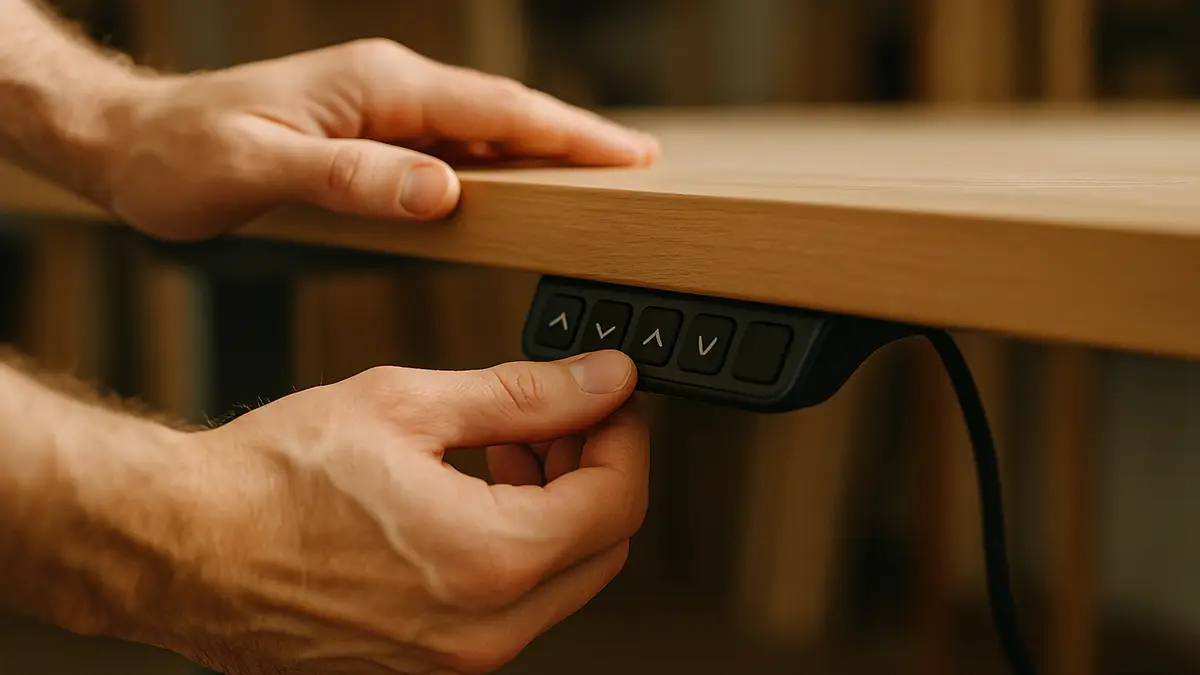
An electric standing desk that stops working is rarely a dead desk. Most complaints trace back to one of a handful of common causes, and most of them are fixable in a few minutes without opening anything up or ordering parts.
1. Full power reset
Unplug the desk from the wall (and disconnect the control box if it has a separate connector) for a full 30 seconds, then reconnect. This clears whatever error state caused a dead panel, unresponsive buttons, or a desk stuck mid-movement, and it resolves the largest single category of standing desk complaints.
2. Legs out of sync
On a dual-motor desk, each leg has its own motor, and they can fall out of sync after a power interruption during movement, causing the desktop to tilt slightly or move jerkily. Most brands build in a resync procedure, commonly holding the down button until the desk reaches its lowest point and beeps or flashes to confirm. Check your model’s manual for the exact sequence, since it varies by brand.
3. Anti-collision sensor false triggers
Modern standing desks include a safety sensor that stops upward movement if it detects resistance, meant to prevent the desk from crushing something underneath. A cable resting against a leg, a chair pushed too close, or even a loose desktop screw can trigger a false stop. Clear everything touching the desk’s legs and underside, then try the movement again.
4. Saved memory height is wrong
If a preset button raises the desk to the wrong height, the memory setting itself has likely shifted, often after a reset or firmware update on newer models. Manually move the desk to your correct height and re-save that preset using your model’s save procedure, usually holding the preset button for a few seconds at the target height.
5. One leg won’t lift, or lifts slower than the other
This points toward the leg-sync issue above if both legs eventually reach the same height but arrive unevenly. If one leg consistently lags or struggles under load while the other moves normally, it’s more likely an early sign of motor wear, more common past the five-year mark on standard-tier desks. Standard-tier motors typically move at 1 to 1.5 inches per second, so a leg noticeably slower than that baseline, especially with straining sound, is worth watching.
6. Control panel is completely dead
Check the cable between the control panel and the main control box under the desk; this connector works loose more often than the panel itself fails. Reseat it firmly, then retry the power reset above before assuming the panel needs replacing.
7. Desk won’t hold height and slowly sinks
A desk that creeps down under weight over hours, rather than staying put, points to a mechanical issue in the leg column rather than the electronics, since the motor’s job is simply to hold position once it stops moving. This is more common on older desks or ones significantly over their rated weight capacity.
8. Grinding, straining, or unusual noise while moving
Occasional light noise is normal, especially at the very top or bottom of the travel range. A consistent grinding sound, especially paired with slow or struggling movement, usually means the motor is under more load than it’s rated for, either from an overloaded desktop or a genuinely failing motor near the end of its service life.
9. Error code on the display
Check your model’s manual for the specific code; error codes vary by brand and manufacturer, but most fall into the same categories covered above (sync error, overload, sensor trigger, or communication fault between the panel and motor). If your desk is from one of the larger brands, our standing desk brands comparison links to manufacturer support resources for the major names.
Preventing problems before they start
A few habits cut down how often you’ll need this list at all. Avoid loading the desk near its rated weight capacity, since a desk running close to its limit puts more strain on the motor with every movement, accelerating the wear that eventually causes symptom 5 or 8 above. Budget-tier desks with 220-275 lb capacity have less margin here than mid or premium frames rated 275-350 lb or higher.
Route cables so nothing drags against the legs during movement, which prevents both the false anti-collision triggers in symptom 3 and the physical wear that can eventually damage a cable or sensor. A cable tray or sleeve that moves with the desk, rather than cables looped loosely to the wall, avoids this entirely.
Avoid interrupting movement mid-cycle when possible, such as unplugging the desk or hitting a breaker while the legs are actively moving, since that’s the most common trigger for the leg-sync issue in symptom 2. If a power outage happens mid-movement, plan on running the resync procedure once power returns rather than assuming the desk will self-correct.
When to consider a repair versus a new frame
| Symptom | Likely fix | Repair cost estimate |
|---|---|---|
| Dead panel, no movement | Power reset | Free |
| Jerky or uneven movement | Leg resync | Free |
| Stops partway, no error | Clear anti-collision sensor area | Free |
| Wrong preset height | Re-save memory setting | Free |
| One leg consistently weak or noisy | Motor wear, possible replacement | Parts cost varies by brand |
If your desk is old enough that a motor has genuinely failed, it’s worth comparing the repair cost against a replacement frame; our standing desk frames and legs guide covers base kits if you want to keep your current desktop and swap only the legs.
For a desk that’s simply worn out beyond fixing, the riser desk guide and our desk height calculator are good starting points for replacing it without repeating the same height mistakes.
Frequently asked questions
Quick answers to what readers ask us most
Why won't my standing desk move at all?
Check the power connection first, both at the wall and at the control box, since a loose cable is the most common cause. If power is confirmed, try a full reset (unplug for 30 seconds, then reconnect) before assuming the motor has failed.
Why does my standing desk move jerky or slow on one side?
The two legs on a dual-motor desk have likely fallen out of sync, which happens after a power interruption mid-movement. Most desks have a resync procedure in the manual, usually holding the down button until the desk hits its lowest point and beeps.
Why does my desk stop moving partway up?
This is usually the anti-collision safety feature triggering on a false positive, often from something resting against the desk edge or a loose cable brushing a leg. Clear the area around the desk fully and try again before assuming a mechanical fault.
How do I know if it's a motor problem versus something simpler?
A motor problem usually shows as one leg not moving at all while the other works fine, sometimes with a grinding or straining sound. Everything else on this list (sync errors, sensor triggers, panel resets) affects both legs together or stops the desk cleanly rather than straining.